The short answer
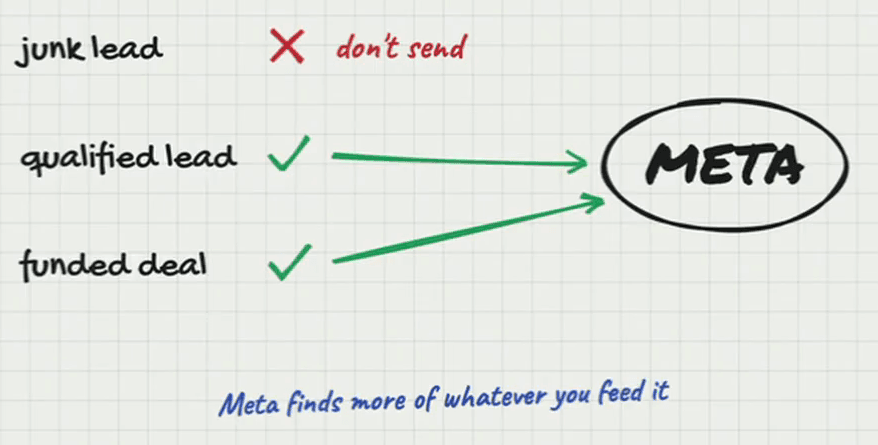
Whatever you report back to Meta through the pixel or the Conversions API decides the quality of the leads you get for roughly the next seven to ten days. Send junk and junk comes back; send qualified leads, lender submissions or funded deals and Meta finds more of them. That makes it a slippery slope both ways: bad data drags a campaign down quickly, and a steady diet of good data raises lead quality without dramatically raising the cost per lead.
Most brokers treat the pixel as a counter: it fires, the ads manager shows a number, and the number is how many leads came in this week. That is the least important thing it does. The pixel is how Meta learns what you want, and what it learns this week is what it goes and finds over the next seven to ten days.
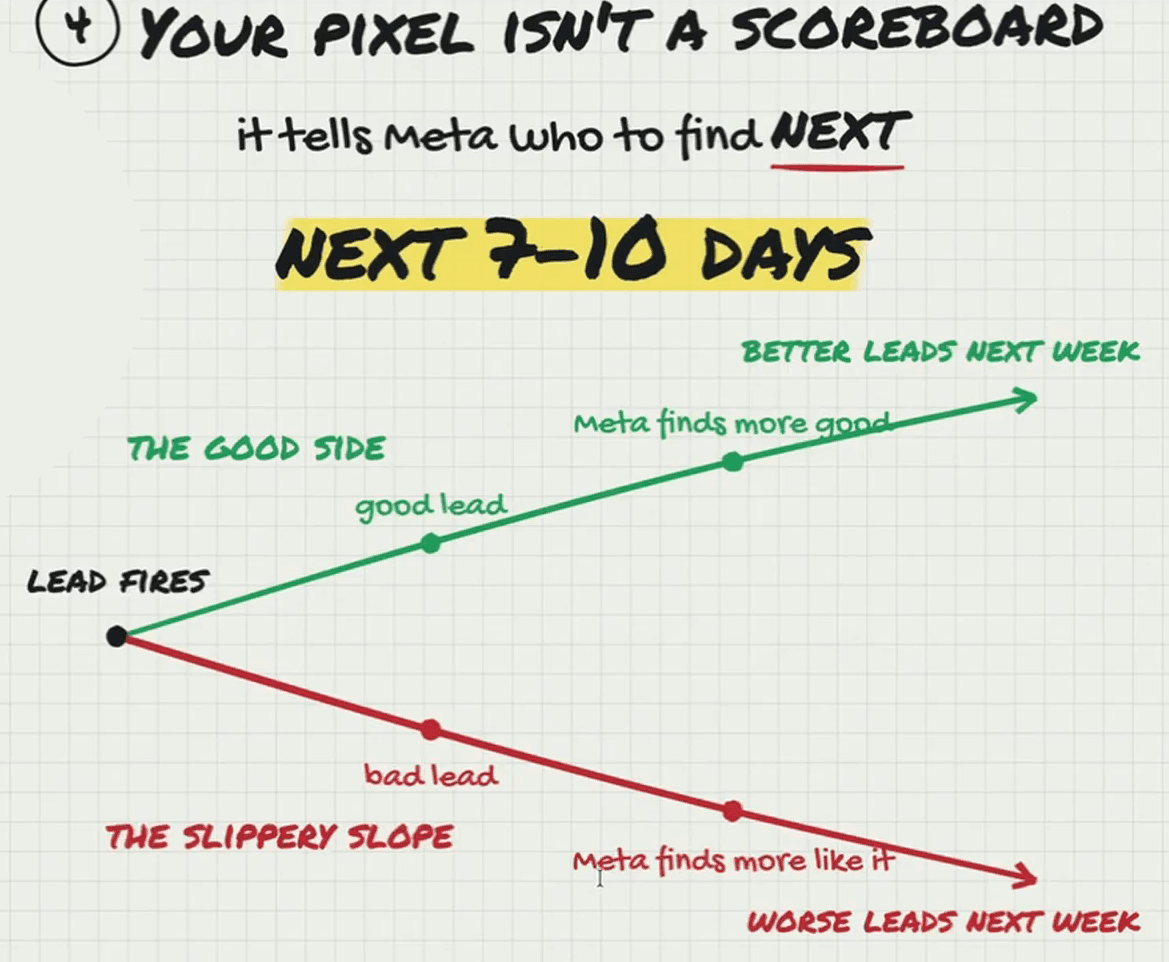
The essentials video put the window at seven to fourteen days. In the later video on why campaigns stop working Alex narrows it to seven to ten, and that is the number this post now uses: what goes back this week mostly decides next week’s leads. Low-revenue merchants, merchants who have defaulted before and merchants outside your industries all count as bad data, and a pixel fed them is one of the five things that kill a campaign that used to work.
Seven to ten days, in both directions
| What Meta is fed | What it finds over the next 7–10 days |
|---|---|
| Every form submission, junk included | More people who submit forms: startups, $5K-a-month businesses, spam |
| Qualified leads only | More merchants who clear your revenue, time-in-business and passcode gates |
| Lender submissions or funded deals, sent from the CRM | More of the merchants who actually fund, once there are about fifty a week |
Alex calls it a slippery slope both ways. Sending back bad data can mess up a campaign very easily, and the damage is not contained to the day it happened: the leads it teaches Meta to look for keep arriving for the next week to ten days. Sending back the right data works in the same direction, more slowly, steadily raising lead quality without dramatically raising the cost per lead.
What the window means in practice
- A broken redirect costs you twice. If the qualified event fires on disqualified merchants for three days, the leads it taught Meta to find keep coming after the fix. Test both exits whenever the page changes.
- Give a change to the event seven to ten days before judging it. The leads you get the next morning were mostly found on the old data.
- Rule out the data before you blame a creative for a bad week. If the pixel was fed junk, the ads were doing what they were told.
- The good direction compounds. Raising the bar on what counts as qualified tightens what Meta looks for over the next week, and the one after.
The setup that keeps the instruction clean is the two-exit build with a passcode in front of the qualified page, with the Conversions API alongside the pixel so the event always arrives. It is the second of five essentials in the video; the first, a six-digit passcode on the form, is what makes a qualified event mean a real merchant with a real phone.