The short answer
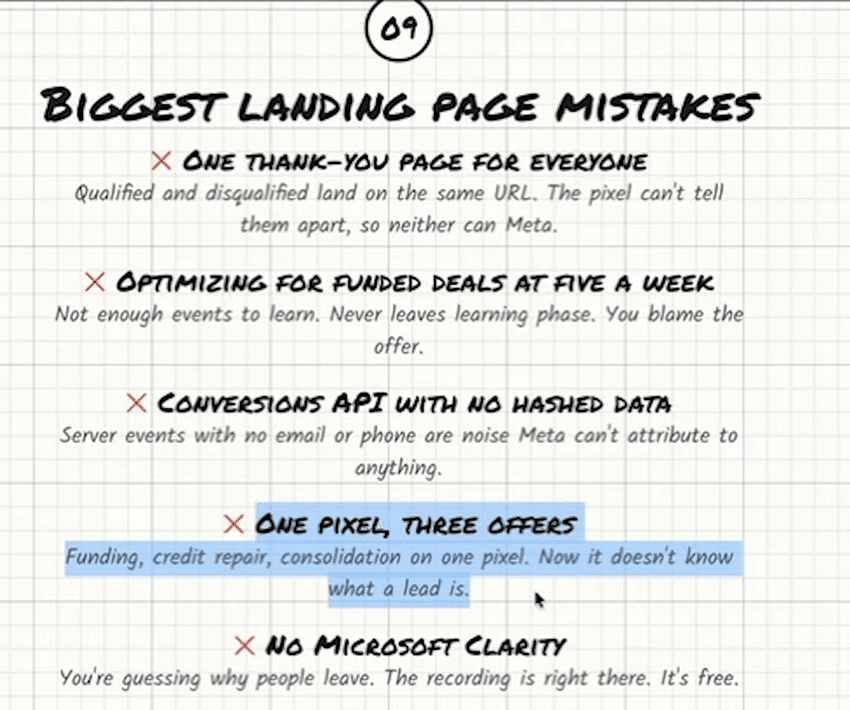
A pixel learns one definition of a good lead. Run a funding offer, a credit repair offer and a debt consolidation offer through the same one and it learns three, which average into something that serves none of them — the merchants each offer wants are different people with different problems. Create one pixel per funnel, and do it before the first dollar of spend, because a pixel trained on contradictory events cannot be untrained.
Most shops that run more than one offer set up one pixel, because it is one business and one ad account and a pixel feels like a property of the company. It is not. It is a model of one customer, and it only has room for one.
Why it breaks
Every conversion event you send is a description of somebody you want more of. A merchant doing $80,000 a month with two clean years of statements is a good funding lead. A business owner with a 540 score and three defaults is a good credit repair lead. A merchant three positions deep and drowning in daily payments is a good consolidation lead. Send all three back to one pixel as the same event and you have asked Meta to find people who are all three at once, which is nobody, so it settles for whichever is cheapest to find.
The result is not that one offer wins and the others suffer. It is that all of them get worse, because the model is being pulled in directions that cancel. The funding campaign starts bringing distressed merchants, which is precisely the population you built the form to keep out, and the consolidation campaign starts bringing healthy first-position merchants who do not need it.
What to do instead
- One pixel per funnel, created in Events Manager at the same time as the funnel. This is step one of the build for a reason.
- One pixel per funnel, not per offer name. Two funding funnels aimed at the same merchant — say a restaurant page and a trucking page — can share a pixel, because they are looking for the same person through different doors. Two different products cannot.
- Each pixel needs its own fifty events a week. That is the real cost of splitting, and it is why a shop that cannot feed two pixels should run one offer properly rather than two badly. The budget bands apply per pixel.
- Keep the same discipline inside each one: qualified submissions only, the event on the qualified page, the server copy with hashed data.
The other four on that board
They each have their own write-up: one thank-you page for everyone, which is the same mistake as this one at a smaller scale; optimising for funded deals at five a week, which starves the algorithm; a Conversions API with no hashed data, which produces events Meta cannot attribute; and not running Microsoft Clarity, which leaves every funnel decision to opinion.
What all five have in common is that none of them shows up as an error. The pixel fires, the events land, the dashboard fills in, and the campaign quietly optimises towards the wrong thing for as long as you let it.